DO-IT-YOURSELF

SOCIAL MEDIA

Your Content. Your Voice. Better Tools to Manage It.

You know your business better than anyone. If you want to manage your own social media, you shouldn’t have to do it the hard way.

Menu Surgeon’s DIY Social Media gives you access to a professional social-media management platform where you can plan content, create posts, schedule and publish across multiple channels, monitor your reputation and measure what’s working—all from one place.

Starting at $30 / month for your first location.

Posting Yourself Shouldn’t Mean Doing Everything the Hard Way.

Creating a social-media post isn’t necessarily difficult. Managing social media consistently while you’re also running a business is another story.

You have to decide what to post, create the content, move between different social channels, remember what needs to publish when, keep up with customer reviews and figure out whether any of it is actually working.

DIY Social Media brings those pieces together in one professional platform so you can spend less time managing the process and more time running your business.

DIY SOCIAL MEDIA

One Platform.

A Better Way to Manage Your Social Media.

From figuring out what to post to seeing how it performed, DIY Social Media gives you tools for the entire process.

Plan

Organize content, build campaigns and schedule posts ahead of time.

Create

Find content ideas, build graphics, import Canva assets and get help developing your copy.

Publish

Schedule and publish content across the social channels that matter to your business.

Measure

Track audience growth, engagement, views and other performance data to see what’s working.

SCHEDULING & PUBLISHING

Plan It Now. Publish It Later.

Social media doesn’t need your attention at the exact moment a post needs to go live.

Prepare several posts when you have time, schedule them in advance and let the platform publish them according to your schedule.

Instead of stopping what you’re doing every time something needs to be posted, you can make social media part of your routine.

Work on social media when it works for you.
POST IDEAS

Not Sure What to Post? You Don’t Have to Start From Scratch.

Some days you know exactly what you want to say. Other days, finding something worthwhile to post is the hardest part.

The platform includes a library of Post Ideas that can help get you started, including timely and seasonal content you can browse and adapt for your own business.

  • Upcoming Events
    discover holidays, observances and timely opportunities.
  • Seasons
    find content inspired by spring, summer, autumn and winter.
  • Days of the Week
    browse ideas for recurring daily themes.
  • Recommended For You
    explore additional ideas when you need inspiration.

Use the ideas that make sense for your business, personalize them and make them your own.

CONTENT CREATION

You’ve Got the Idea. Now Build the Post.

DIY Social Media includes tools that help you turn an idea into something ready to publish—without bouncing between a collection of disconnected applications.

Built-In Graphic Editor

Create and customize social graphics using text, backgrounds, objects, shapes, uploaded images and other design elements directly inside the platform.

Canva Integration

Already use Canva? Import assets directly from Canva into a new post and continue working from there.

Built-In AI Assistant

Need help finding the right words? The platform’s text-based AI Assistant can help refine ideas, develop copy and captions, generate reports and provide marketing insights.

The AI Assistant works with text and ideas; it does not generate original images.

CAMPAIGNS

Turn Individual Posts Into a Marketing Plan.

Social media works better when every post isn’t treated like an isolated task.

The Campaigns tool gives you a place to organize marketing initiatives, plan tasks, attach assets and coordinate content around promotions, events or other priorities for your business.

That makes it easier to think beyond, “What should I post today?” and start thinking about what you’re trying to accomplish.

MULTI-CHANNEL PUBLISHING

Manage the Channels That Make Sense for Your Business.

Your customers don’t all use the same social network. DIY Social Media lets you connect and publish content to a variety of major social platforms from a more centralized workflow.

You don’t have to be everywhere. Connect the channels that make sense for your business and manage them more efficiently.

YOUR BUSINESS.

YOUR CONTENT.

YOUR CONTROL.

You’re Still in Charge.

DIY Social Media is designed for business owners who want to remain hands-on with their social media.

You decide what to say, what to promote, what your content should look like and when you want it published.

The platform doesn’t take control of your marketing. It gives you better tools for managing it.

You know your business. You make the decisions.
ANALYTICS

See What’s Working.

Publishing is only half the job. The platform also helps you understand what happens after you post.

Review social performance such as audience growth, engagement, impressions and views so you can see how your content is performing over time.

Instead of relying entirely on gut feeling, you have actual information that can help guide what you do next.

Post. Measure. Learn. Adjust.
REPUTATION MANAGEMENT

Social Media Isn’t the Only Conversation Happening Online.

Customer reviews can influence what people think about your business before they ever walk through the door, make a phone call or visit your website.

DIY Social Media includes access to the platform’s Reputation Manager, giving you another place to monitor customer feedback and respond to reviews without treating reputation as a completely separate part of your marketing.

Need help establishing or correcting your business listings?

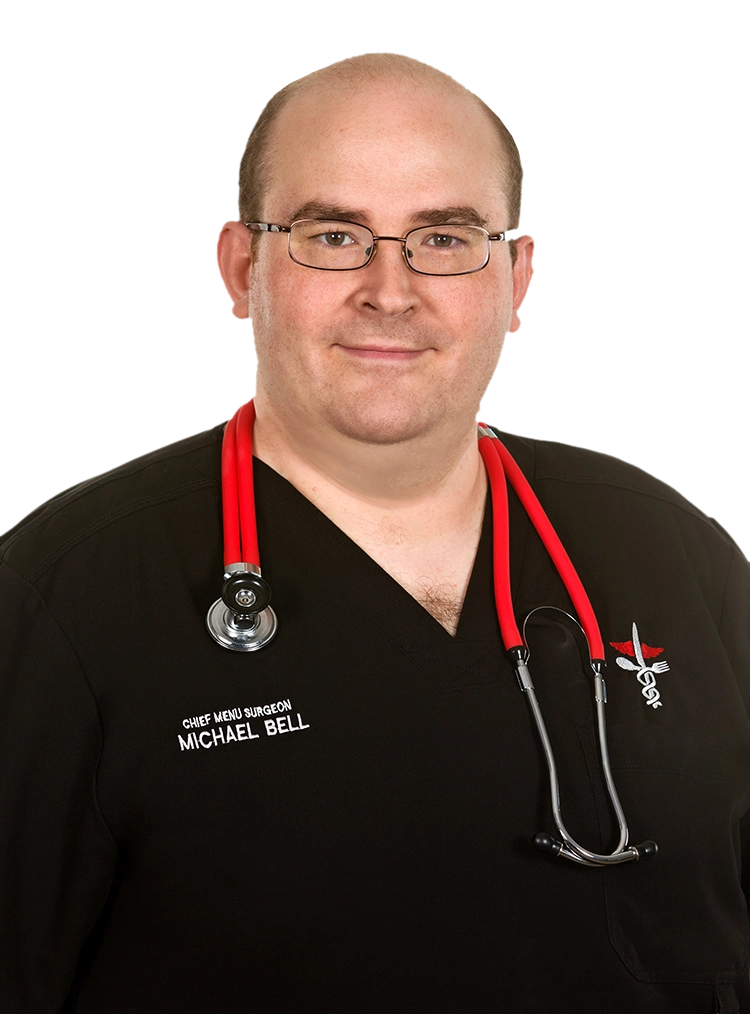
Michael Bell, founder and Chief Menu Surgeon of Menu Surgeon Marketing
SETUP & SUPPORT

DIY Doesn‘t Mean You’re Completely on Your Own.

You’re managing the content yourself, but you’re getting the platform through Menu Surgeon—not simply signing up for another piece of software and figuring everything out from scratch.

Menu Surgeon creates your business location inside the platform and sets up your user access. If you have multiple locations, your account can be configured so you have access to the locations you manage.

Need help connecting your social-media channels? We can help with that, too. And if you have questions about how the platform works, Menu Surgeon is available to help you understand the functionality.

You manage the social media. Menu Surgeon helps you get the tools in place.

And when you need more than software—professional food photography, branded graphics, a website, menu work or someone to take social media off your plate entirely—you already have a restaurant-marketing resource you can call.

SOCIAL MEDIA

Do-It-Yourself

$30

per month
for first location

$15

per month
for each additional location

Professional Social Media Tools at a Straightforward Price.

Get the planning, creation, publishing, analytics and reputation tools you need to manage your own social media without paying someone else to manage the content for you.

  • $30 / month for the first location
  • +$15 / month for each additional location
  • Month-to-month
  • Automatically billed on the 1st

Cancel by email before the 20th to avoid billing for the following month.

Because Menu Surgeon creates your business location and user access inside the platform, DIY Social Media begins with a quick contact form rather than an automated software signup.

Rather Not Manage the Content Yourself?

Maybe better tools aren’t what you need. Maybe you simply don’t have the time to plan, create and publish social-media content consistently.

Menu Surgeon’s Fully Managed Social Media service handles the ongoing content for you—including planning, captions, branded graphics, scheduling and publishing.

DIY gives you the tools to do the work yourself. Fully Managed gives you Menu Surgeon to handle the ongoing work for you.
SOCIAL MEDIA

Fully Managed

starting at

$250

per month
for first location
Includes 5–7 posts per week

DIY SOCIAL MEDIA

Frequently Asked Questions.

DIY Social Media gives you access to Menu Surgeon’s professional social-media management platform, including scheduling and publishing tools, Post Ideas, content-creation tools, Canva integration, the built-in AI Assistant, Campaigns, Analytics and Reputation Manager.

No. DIY Social Media is designed for businesses that want to create and control their own content. Menu Surgeon provides the platform, sets up your access and can help you understand how the tools work. If you want Menu Surgeon to create and manage your ongoing content, take a look at our Fully Managed Social Media service.

The platform supports Facebook Pages, X, Instagram Business, LinkedIn Business Pages, Pinterest, Google Business Profile, TikTok and YouTube. Instagram Business connects through the business’s Facebook Page.

Yes. Post Ideas include Recommended For You content, upcoming events and observances, seasonal ideas, days-of-the-week content and other timely topics that can help you get started.

Yes. The platform includes a built-in graphic editor with text, backgrounds, objects, uploaded assets and other design tools. You can also import assets from Canva directly into a new post.

The built-in text-based AI Assistant can help refine ideas, develop copy and captions, generate reports and provide marketing insights. It does not generate original images.

Yes. The platform includes analytics for monitoring social-media performance as well as Reputation Manager tools for monitoring and responding to customer reviews.

Yes. The first location is $30 per month, and each additional location is $15 per month. Menu Surgeon creates the appropriate location access for your user account.

DIY Social Media is month-to-month. Billing is automatically processed on the 1st of each month. To cancel, email Menu Surgeon before the 25th to avoid being billed for the following month.

READY TO MAKE SOCIAL MEDIA EASIER TO MANAGE?

Get Better Tools Without Giving Up Control.

Tell us a little about your business and the social channels you use. Menu Surgeon will set up your business inside the platform and help you get started.